PROPBANK
MARKET PLACE
CHEN HONGSHAN
A0311136W TUT[06]
WHERE IT ALL STARTED
The entire PropBank concept — its services, ecosystem vision, and core positioning — originated from my individual ideation. My teammates adopted and built on this foundation.
COSPLAY HAS A COORDINATION CRISIS
Singapore-based ACGN creators — cosplayers, prop makers, fan-film teams, student clubs — lacked a dedicated ecosystem. Their creativity was there. Access and coordination were not.
THE CORE IDEA
- ✦ Gear Library & Marketplace → buy / borrow / swap
- ✦ PropScan → one picture → buildable parts list
- ✦ Workshop → unified tutorial directory
- ✦ Creator Hub → help requests & collabs
◈ INITIAL PITCH SLIDES — IDEATION STAGE
→ FROM ONE IDEA TO A SUPER-APP
This initial pitch became the shared foundation that all four group members built their individual services upon. My role then evolved into owning Marketplace, PropMes, and the Opening & Landing screens.
ECOSYSTEM OVERVIEW
PropBank is a super-app built for Singapore's ACGN and cosplay community — a one-stop platform bridging creation, coordination, and community.
WHAT IS PROPBANK?
PropBank is a super-app for Singapore's ACGN (Anime, Comics, Games, Novels) and cosplay community. It consolidates fragmented creator workflows — gear sourcing, skill-building, news discovery, and collaboration — into a single, cosplay-first platform. The ultimate goal is to remove friction from creation and make the community more self-sufficient, connected, and trusted.
WHAT SERVICES DOES PROPBANK FEATURE?
PropBank is built as a super-app with 5 distinct services, each owned and designed by a different team member:
Gear Library & Marketplace
MECoNews
Xiao AoPropScan
SharedWorkshop
YuhaoCreator Hub
JaeWHAT IS MARKETPLACE?
The Gear Library & Marketplace is PropBank's economic core — a cosplay-first platform where users can buy, borrow, sell, rent, and swap cosplay props, costumes, and tools. Unlike generic secondhand platforms (Carousell, eBay), Marketplace is built around trust signals specific to the cosplay community: item condition, seller reviews, sizing details, and in-app coordination via PropMes.
BUY & BORROW
Browse listed items, message sellers, place orders
SELL & RENT
List gear with size, condition, and tag details
SWAP
Propose gear trades with cosplay-specific matching
PROPMES
In-app chat and coordination across all flows
KNOWING THE USER
Three semi-structured interviews with cosplayers and convention-goers — synthesised through affinity diagramming — shaped every design decision in Marketplace.
01 · USER INTERVIEW
RESEARCH METHODS
✦ Semi-structured interviews (3 participants)
✦ Purposive sampling: cosplayers + ACGN fans
✦ Affinity diagramming (individual + cross-team)
✦ User journey mapping in FigJam
ABOUT THE PARTICIPANTS
User S
Experienced cosplayer, frequent convention-goer, heavy Carousell/Telegram user
User C
Mid-level cosplayer, buys and sells props, frustrated by lack of cosplay-specific filters
User A
Casual ACGN fan, uses prop images for identification, relies on reverse image search
KEY FINDINGS
01
Trust & Coordination Crisis
Cosplay sourcing is not just a browsing problem — it's a trust and coordination problem. Users want reviews, seller location, chat, reservation, and item condition info.
02
Fragmented Discovery
Event discovery relies on Instagram algorithms and word-of-mouth. Marketplace items are scattered across Carousell, Telegram, and random shops. No cosplay-specific search exists.
03
The "Can I Do It?" Problem
"Costumes these days add too many things." Users need to evaluate whether to make or buy, how long it takes, and if a guide is credible — before committing.
KEY QUOTES (MARKETPLACE RELEVANT)
"I need reviews, sizing info, and seller location before I decide to buy. Otherwise, I don't trust the listing."
— User S, Interview 1
→ Trust signals and location fields are non-negotiable for Marketplace listings.
"Running around Singapore to meet a seller is annoying. I want to know where they are before I even message them."
— User S, Interview 1
→ Seller location must be a mandatory, upfront field — not buried in chat.
"There's no platform that knows what cosplay sizing means. S on Carousell could mean anything."
— User C, Interview 2
→ Cosplay-specific fields (character accuracy, costume size, condition) are needed beyond generic filters.
★ DESIGN DIRECTION FOR MARKETPLACE
PropBank Marketplace should not look like a generic e-commerce feed. It must be built around trust signals, cosplay-specific filters, and coordination tools — from first browse to successful handoff.
02 · USER PERSONA & USER JOURNEY MAP
Although my primary service is Marketplace, I also created the Group-Level Persona (Shin Ip Seng) and the PropScan Persona (Aaron Lim) to contribute to cross-service alignment across the team — which is why these personas appear in my portfolio even though PropScan is not my owned service.
Here are the user personas and their corresponding user journey maps that I created.
SHIN IP SENG
Age 20 · University Student · Active ACGN Participant
CHLOE TAN
Age 21 · University Student · Singapore
AARON LIM
Age 22 · University Student · Casual ACGN Fan
03 · HOW MIGHT WE
TASK WORKFLOW & DESIGN DECISIONS
Five end-to-end task flows designed for the Marketplace — each mapped from entry to exit with cosplay-specific interaction patterns.
USER TASKS DESIGNED
KEY DESIGN DECISIONS
DESIGN DECISION
Trust Badge System
Users cited reviews and seller credibility as the #1 factor. Designed a visible trust score combining marketplace rating + guide reproducibility rating + transaction count — portable across services.
DESIGN DECISION
Cosplay-Specific Filters
Generic filters (price, date) are insufficient. Added fandom, character, item type, size, and condition filters — mapping directly to what users said they needed.
DESIGN DECISION
Seller Location Field
"Running around Singapore is annoying" (User S). Made seller location a mandatory, prominently-displayed field on every listing.
DESIGN DECISION
PropMes as Coordination Layer
Chat, offer-making, reservation requests, and meetup coordination all happen within PropMes — keeping the full transaction lifecycle inside PropBank.
FROM SKETCH TO PROTOTYPE
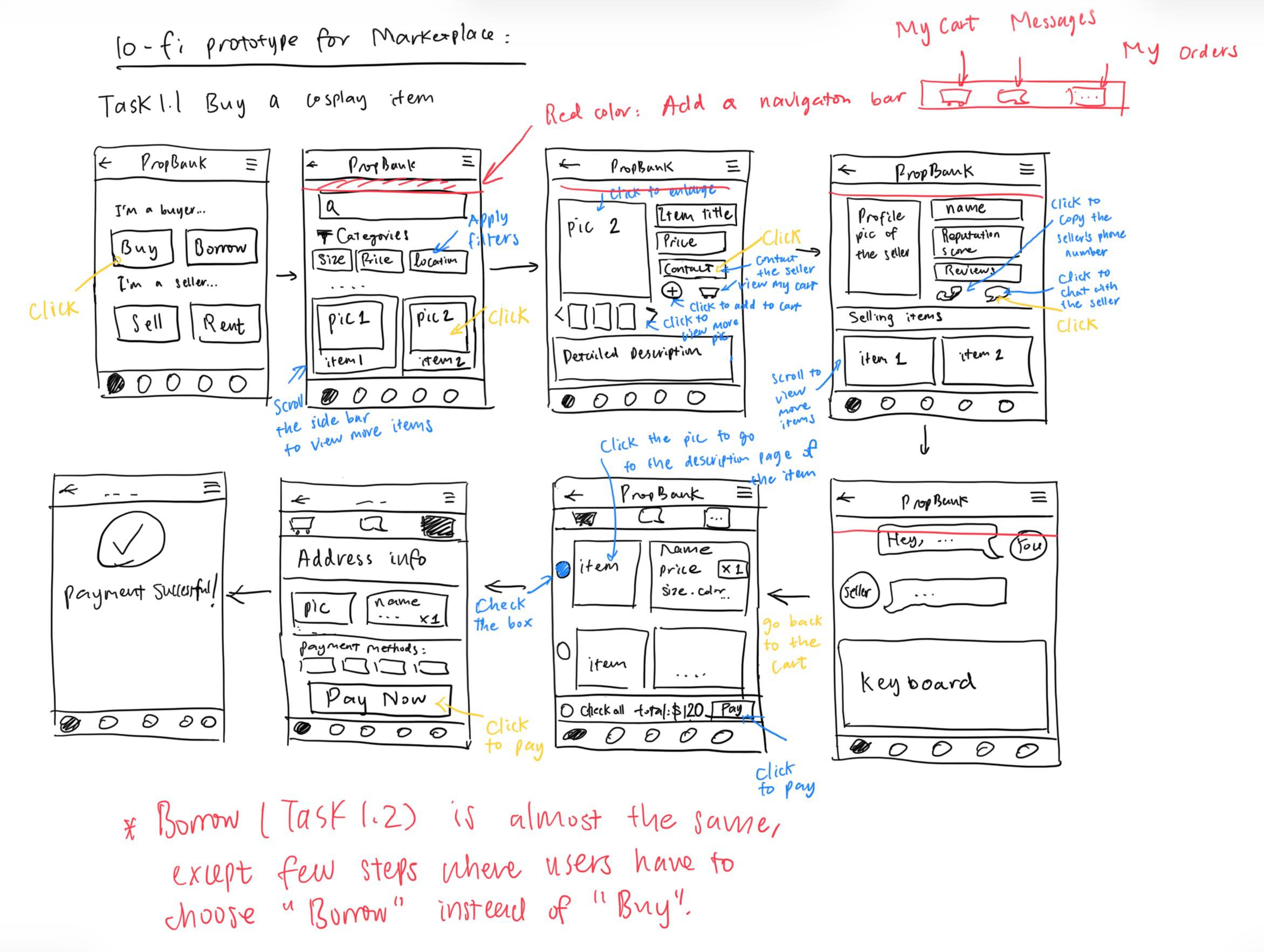
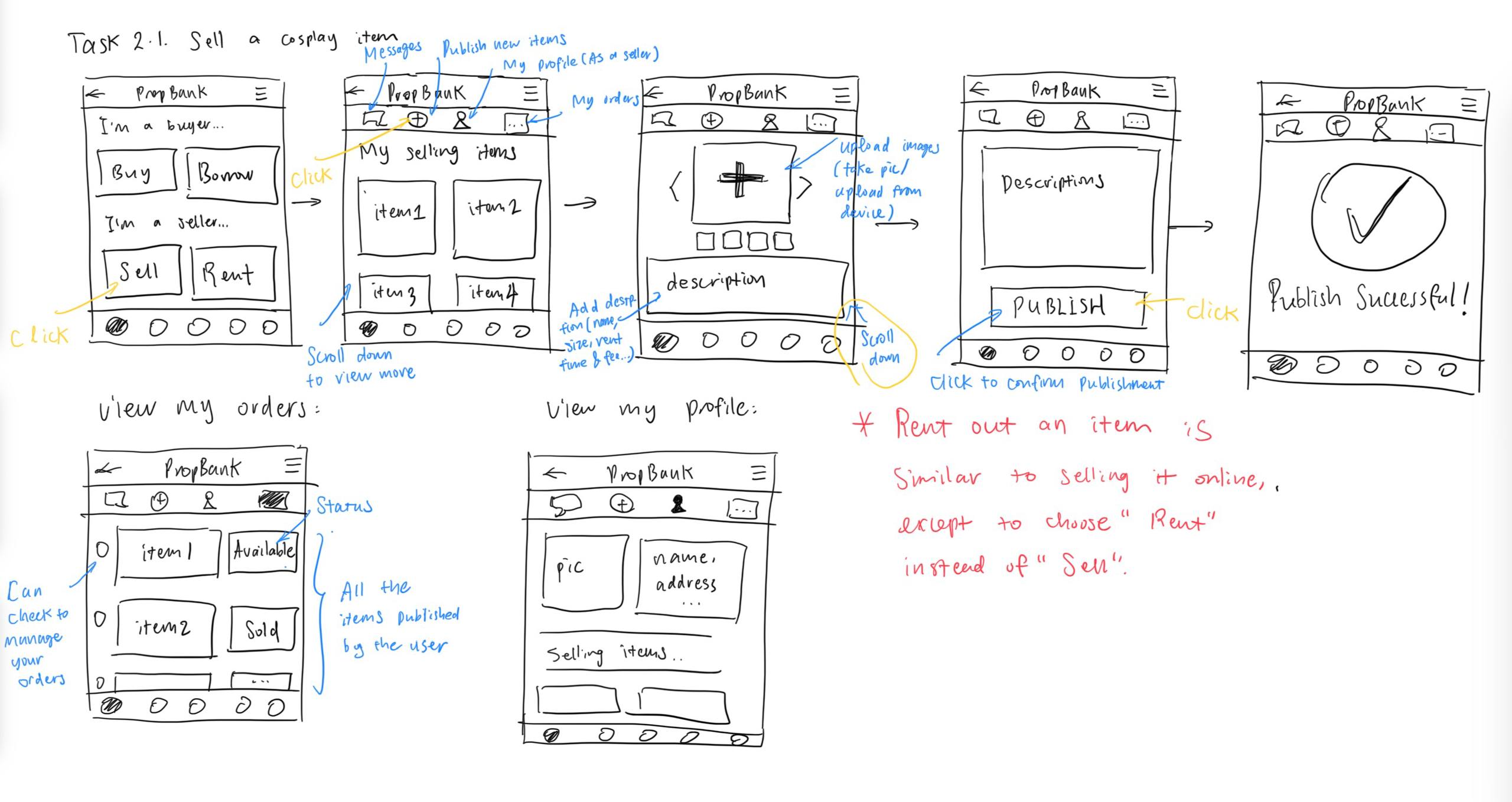
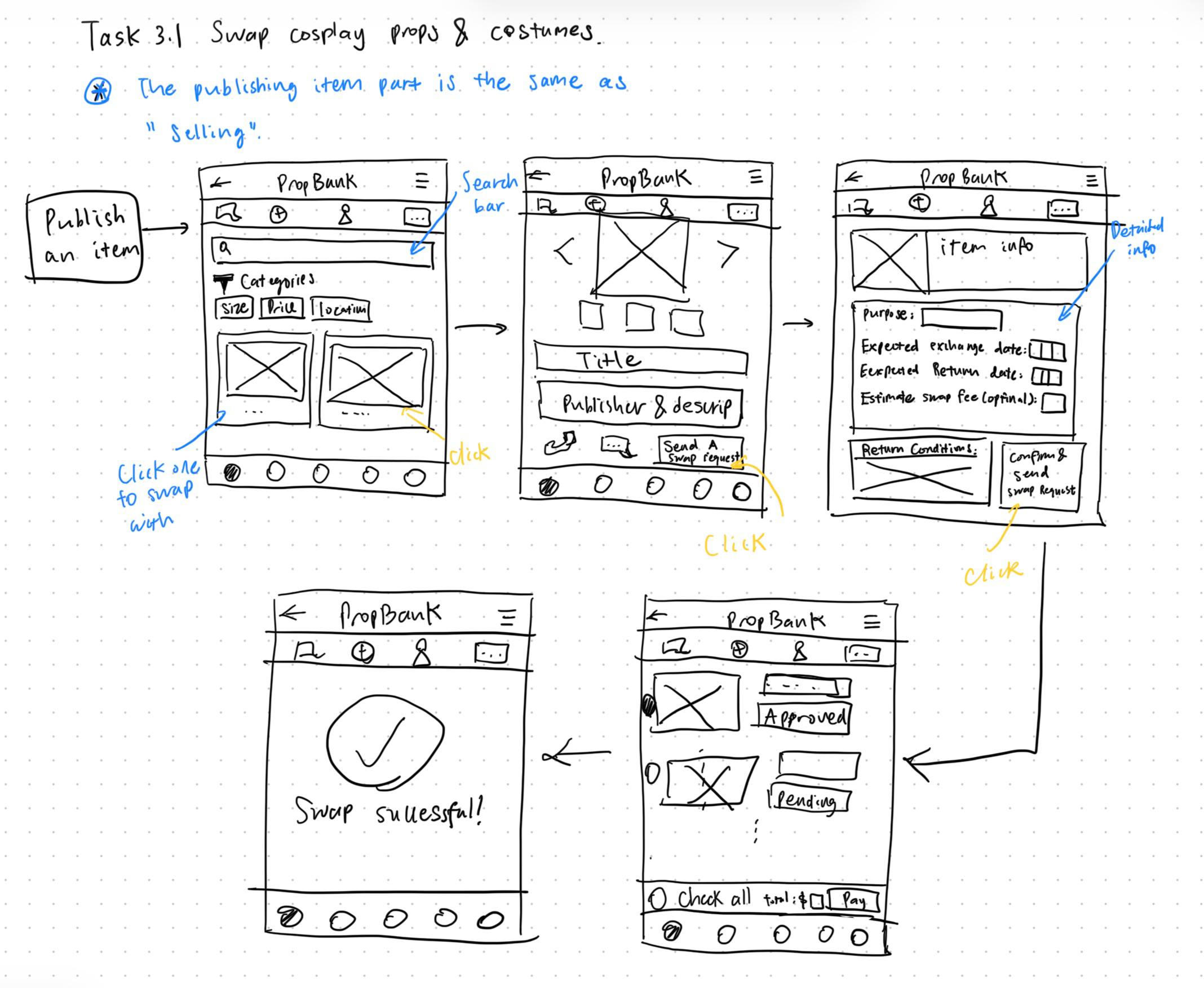
The marketplace went through three rounds of iteration: lo-fi paper sketches → mid-fi digital wireframes → hi-fi interactive prototype.
01 · LO-FI PAPER SKETCHES
Paper Sketches
Task flows for Buy, Borrow, Sell, Swap drawn on paper. Focus on information hierarchy and trust signals.
Buy & Borrow
Sell & Rent
Swap
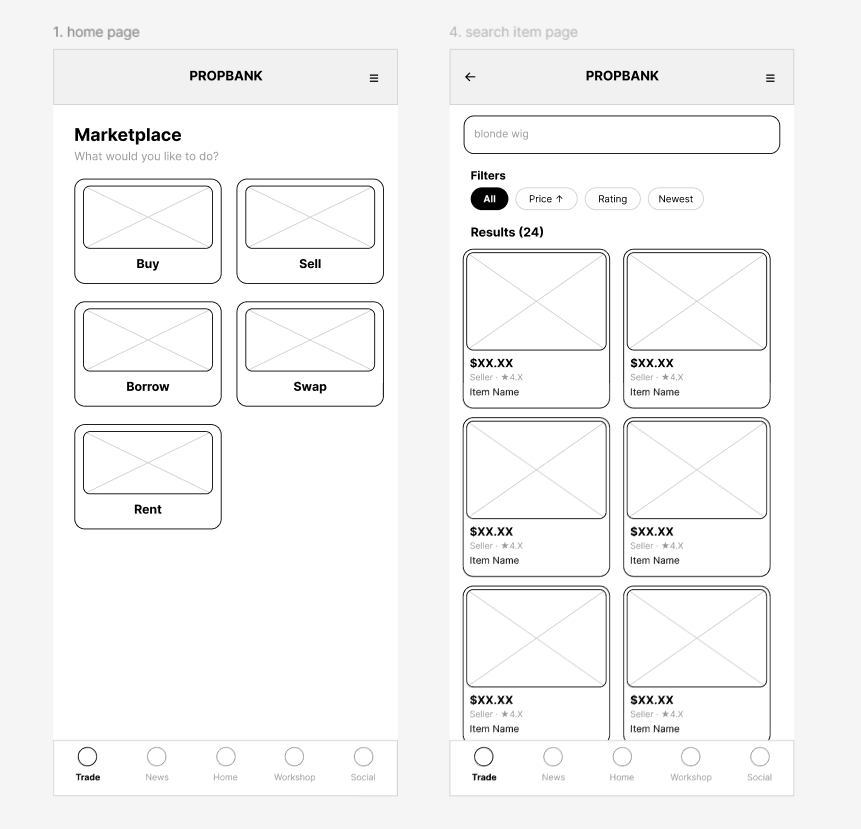
02 · MID-FI DIGITAL WIREFRAMES
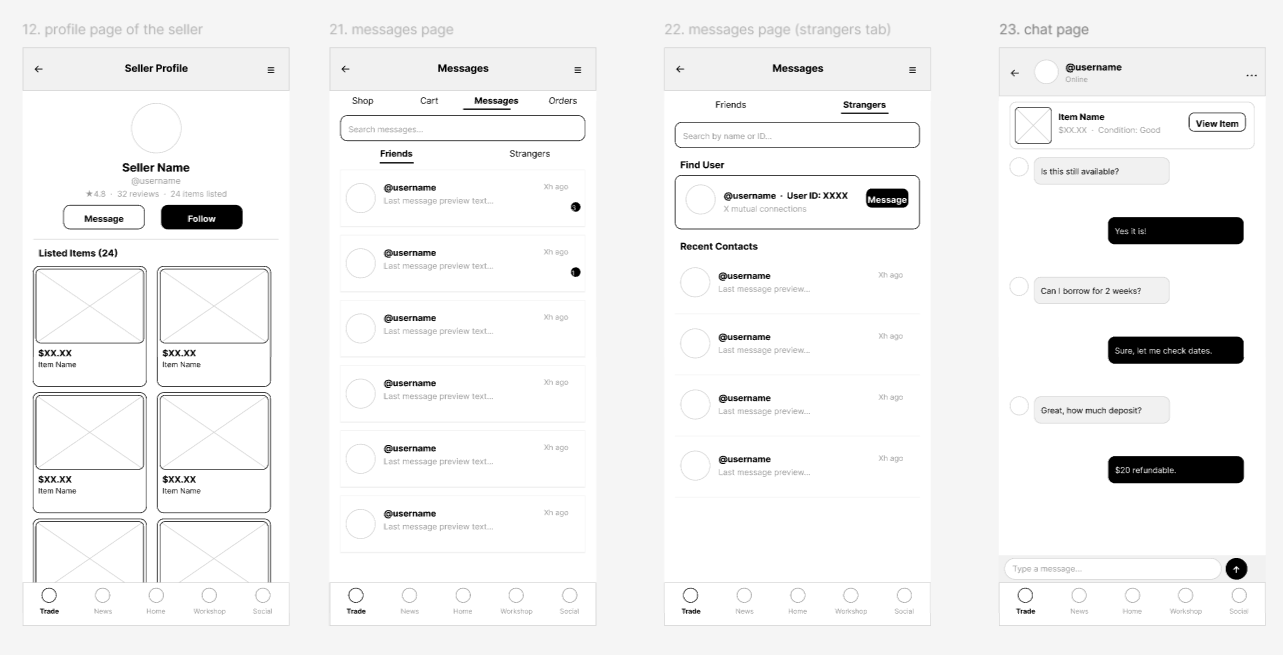
Digital Wireframes
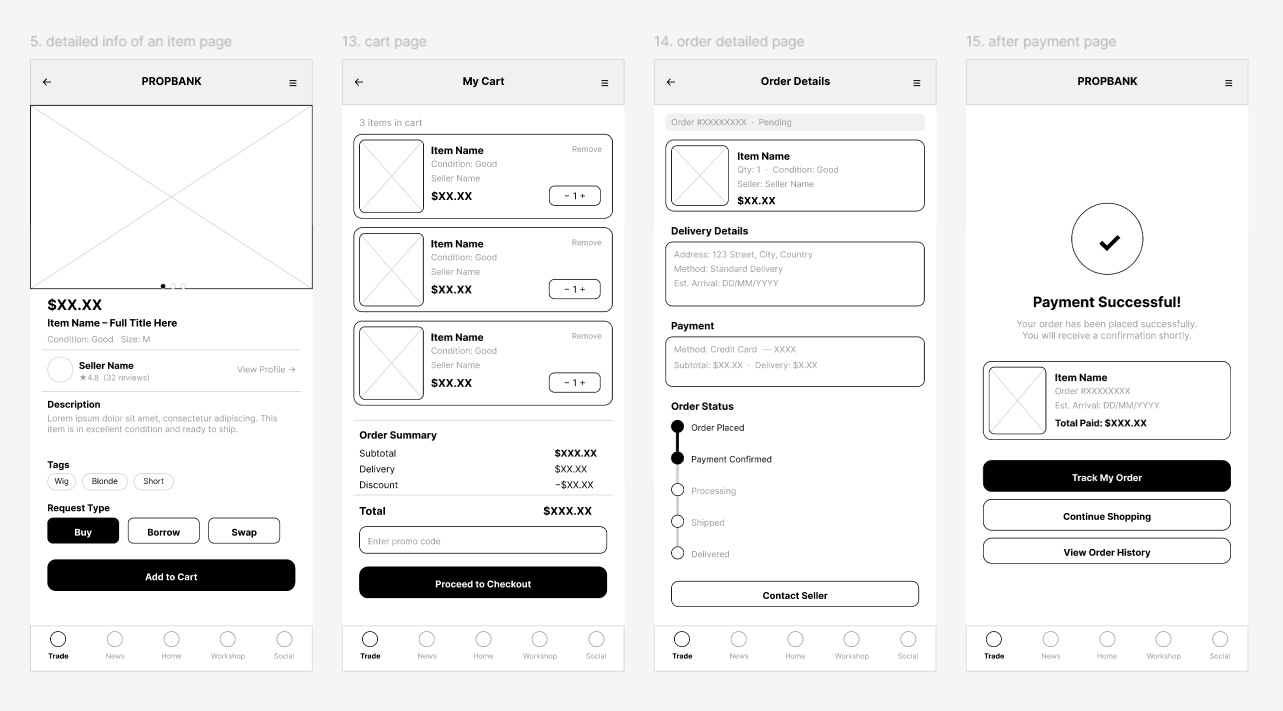
Translated to Figma. Defined card components, filter patterns, seller profile structure.
Landing & Search Page
Buy
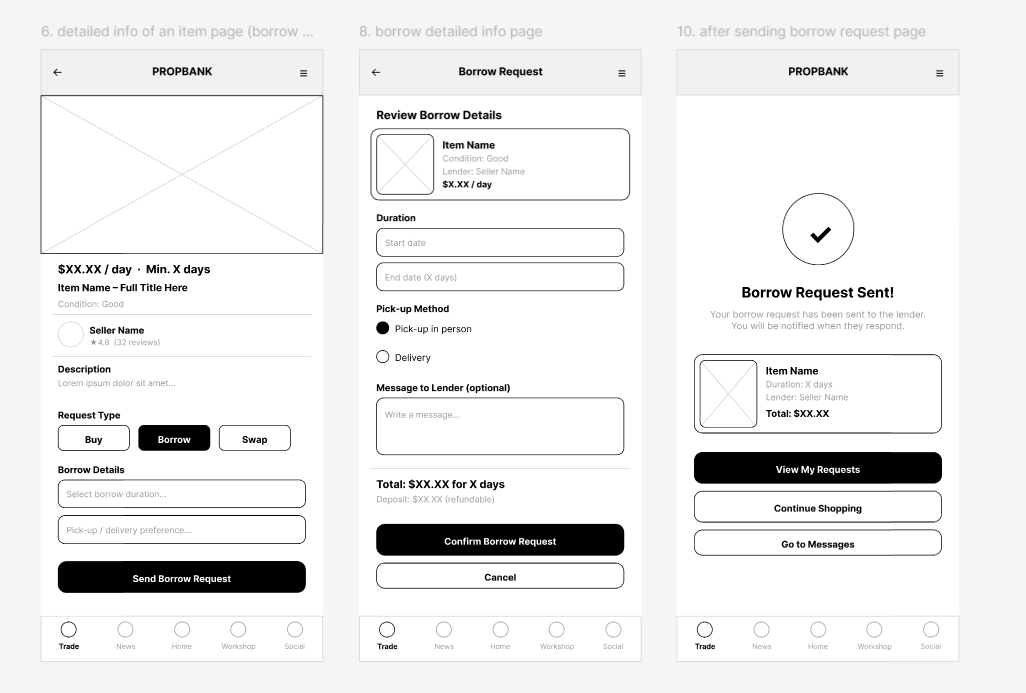
Borrow
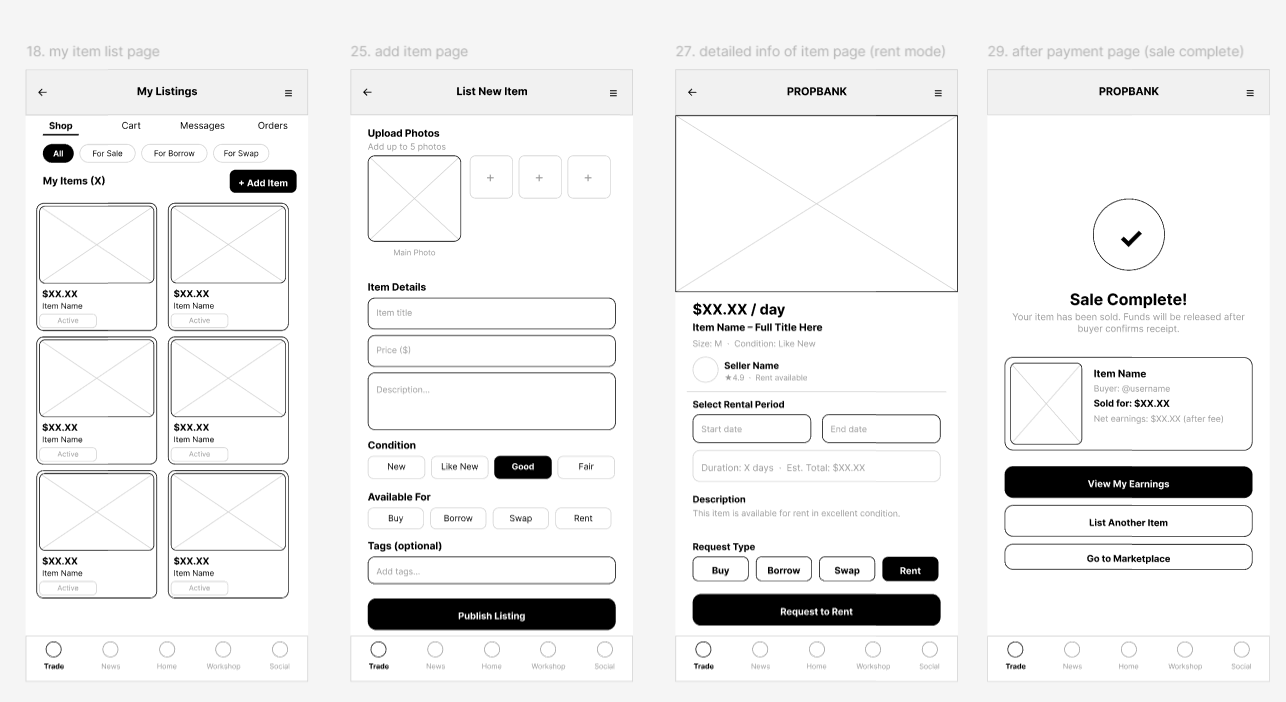
Sell & Rent
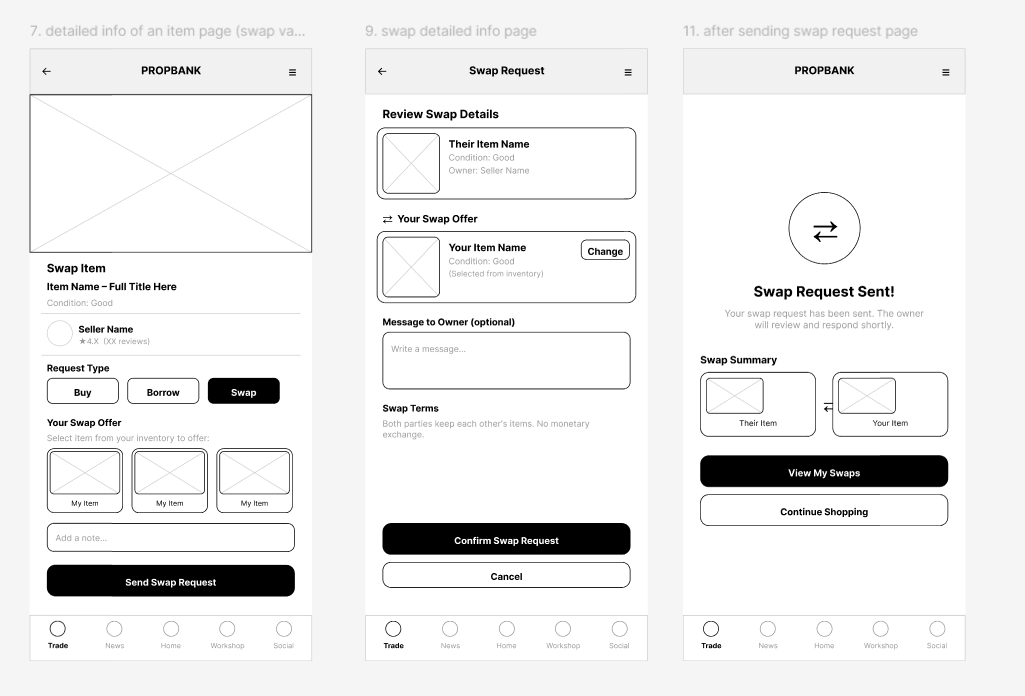
Swap
Seller Profile, Contacts & Chat
03 · HI-FI PROTOTYPE
Opening Screen
Pixel mascot, PropBank branding, Log In / Create Account.
Landing Page
Interactive star nav — each star leads to a different service.
Marketplace Home
Buy / Borrow / Sell / Rent / Swap action bubbles.
PropMes
In-app chat for reservation, offers, meetup coordination.
Buy & Borrow
Search & filter by cosplay-specific filters, trust badge, seller info.
Sell & Rent
Publish flow with AI tag suggestions & transparent override.
Swap
Publish item → send swap request → approval/pending status.
END-TO-END WORKFLOW
Buy
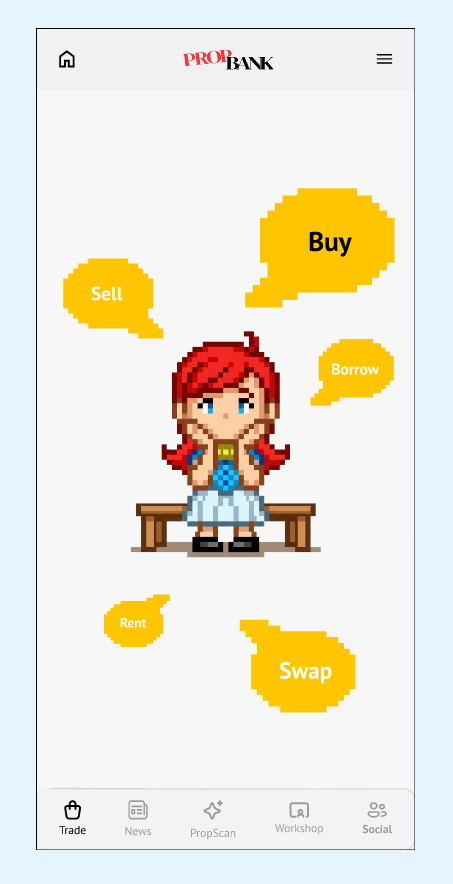
Enter marketplace homepage.
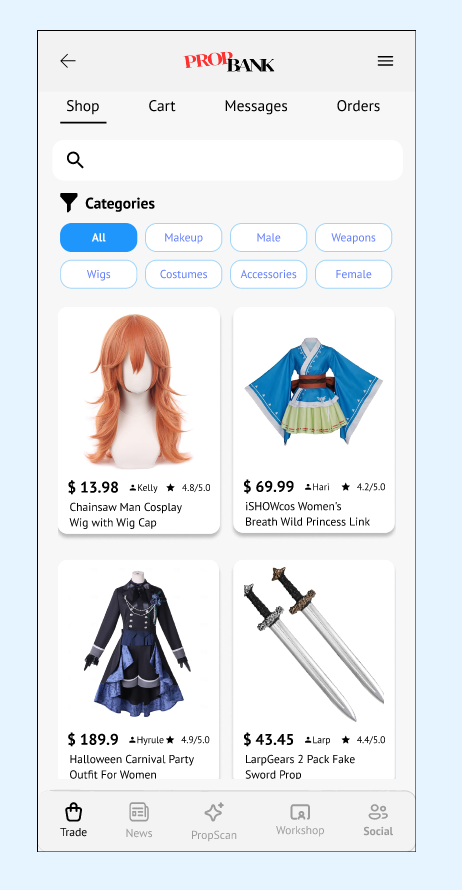
Search and filter relevant items.
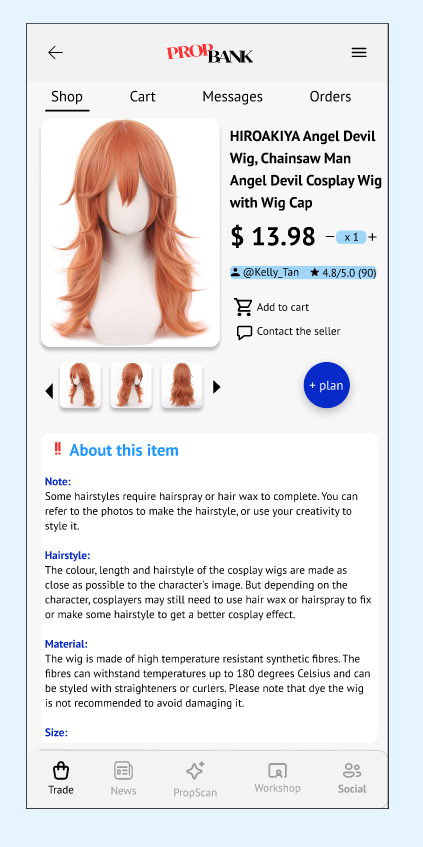
Review details, condition, and trust signals.
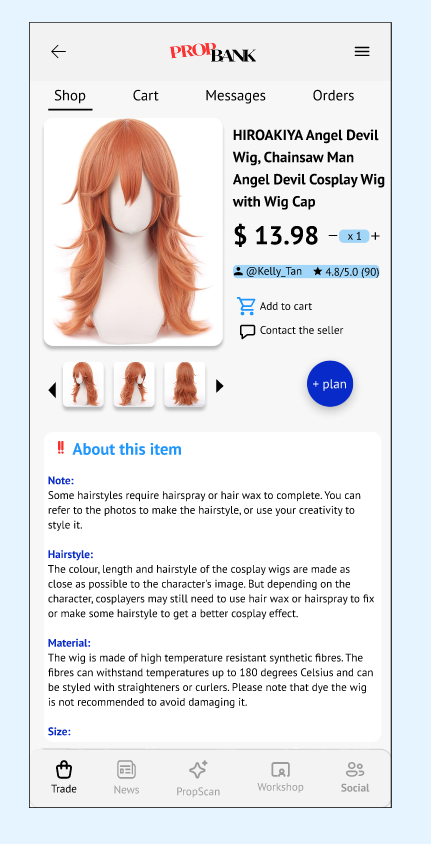
Add selected item for checkout.
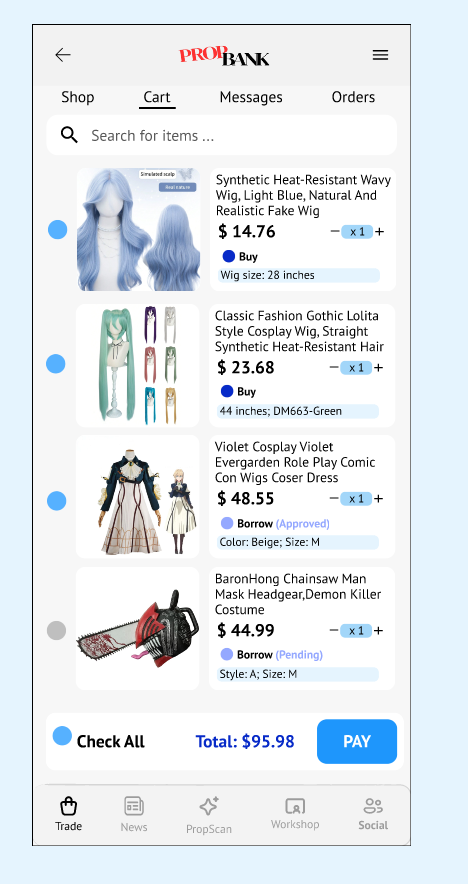
Confirm selected item(s) before payment.
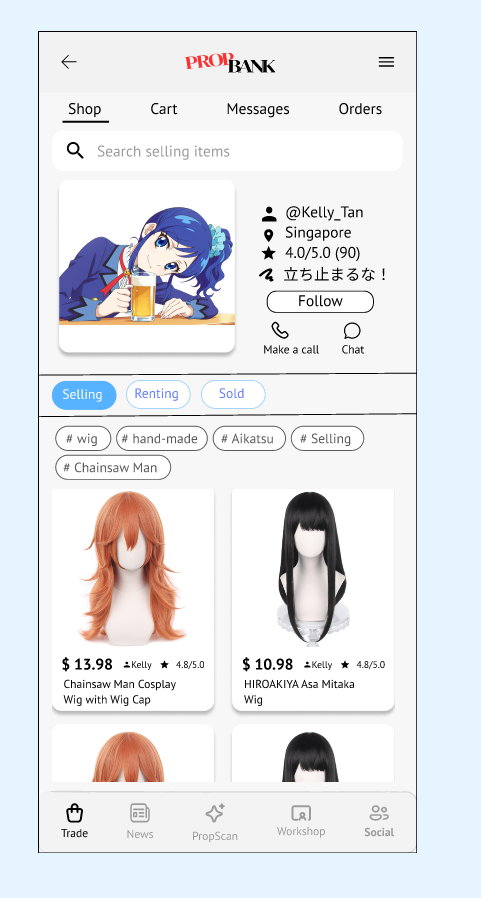
Open seller contact options.
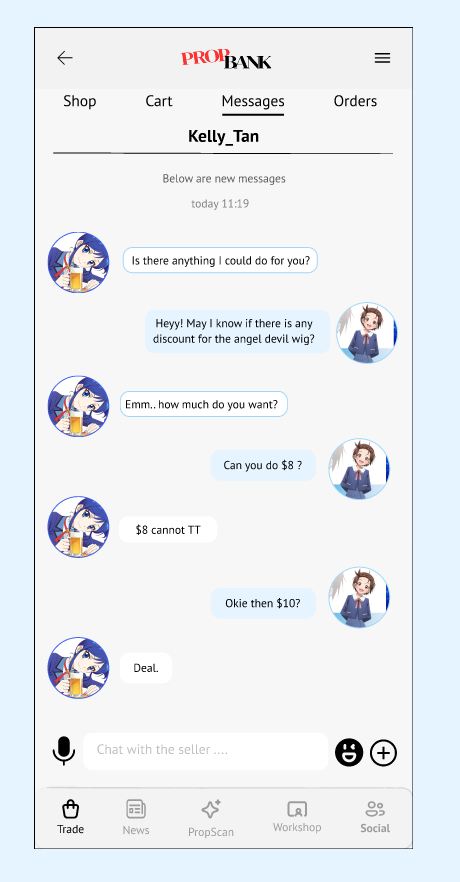
Negotiate and confirm logistics.
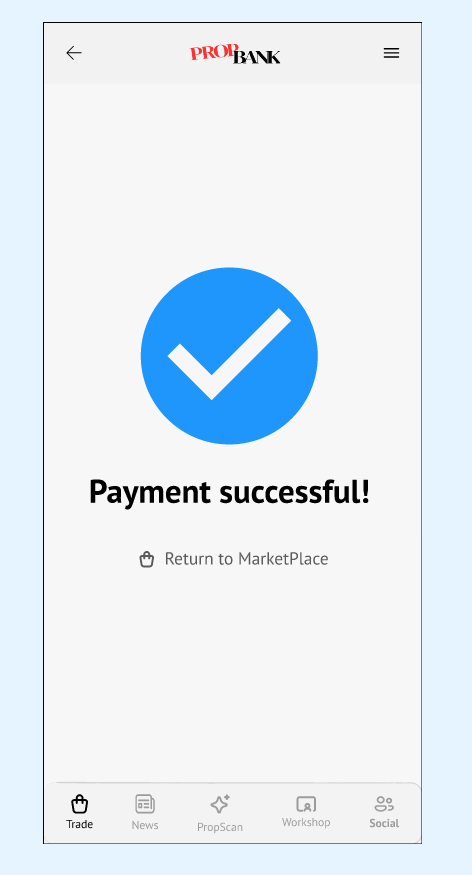
Complete payment successfully.
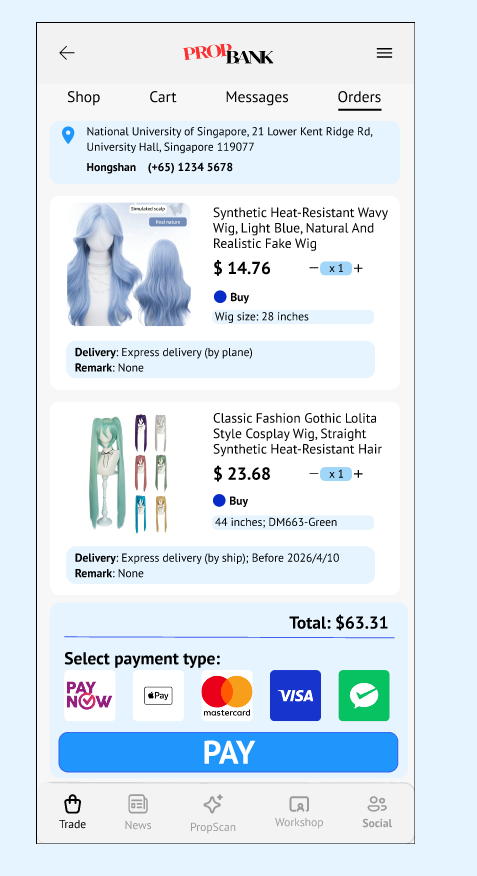
Check final order status.
Borrow
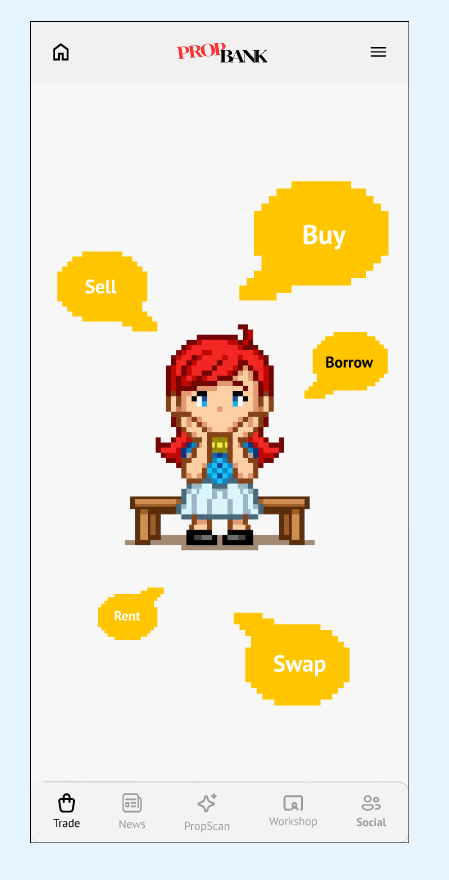
Start from marketplace homepage.
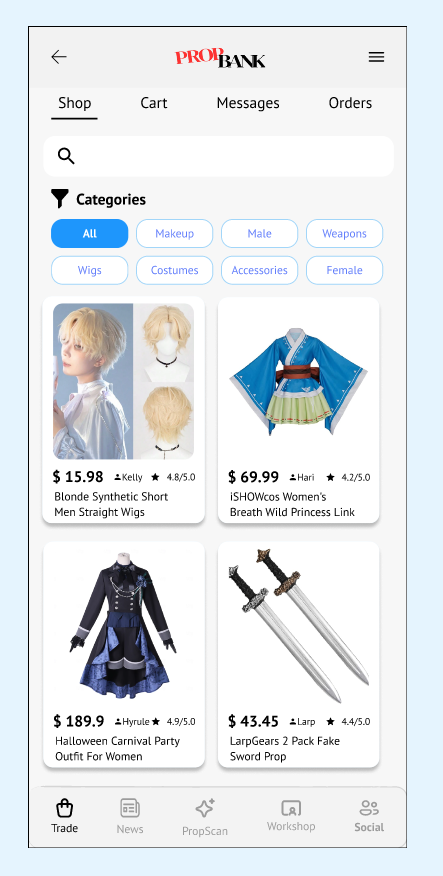
Search and browse items available to borrow.
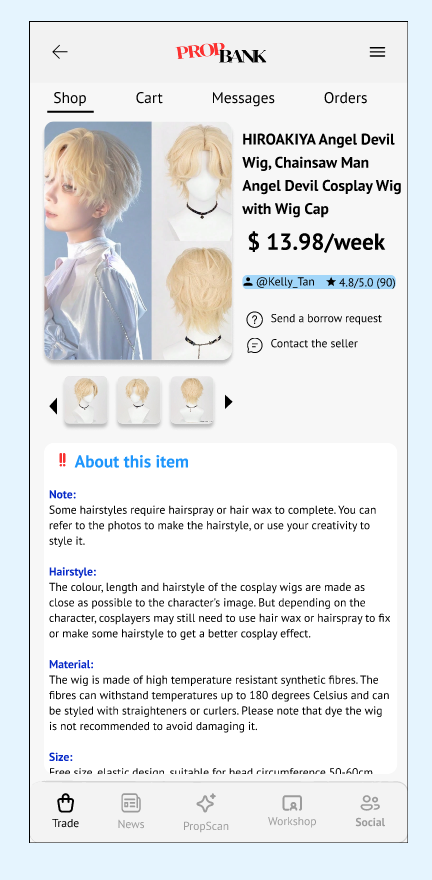
Review borrow terms, duration, and condition.
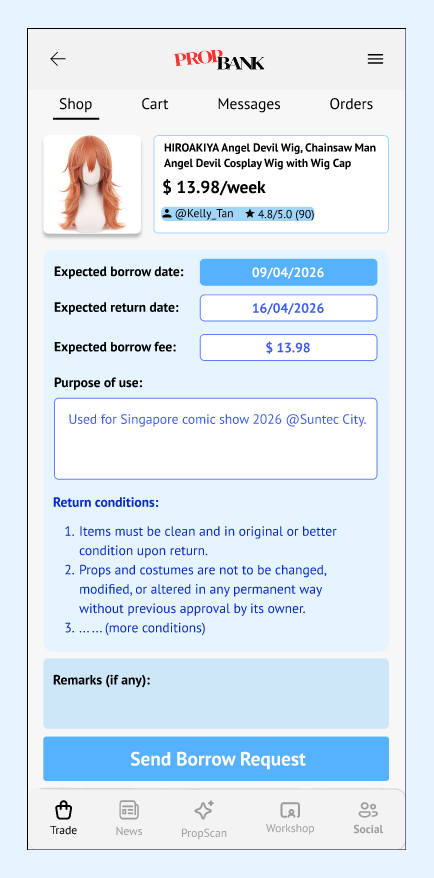
Specify borrow period and submit request.
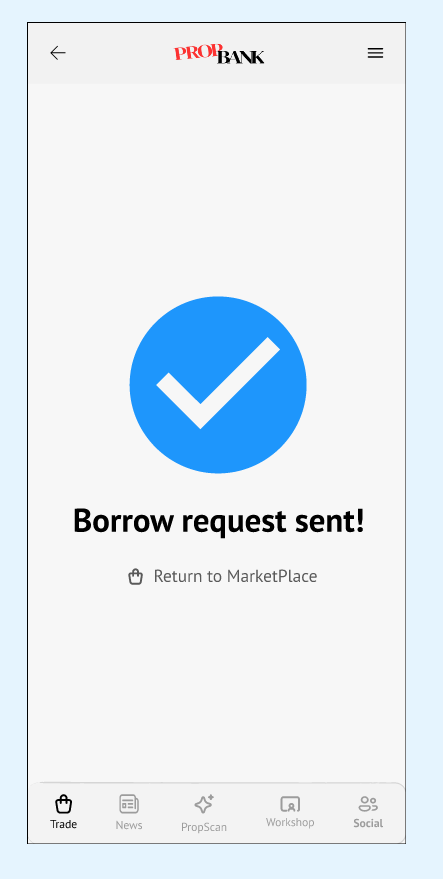
Borrow request sent and awaiting confirmation.
Sell
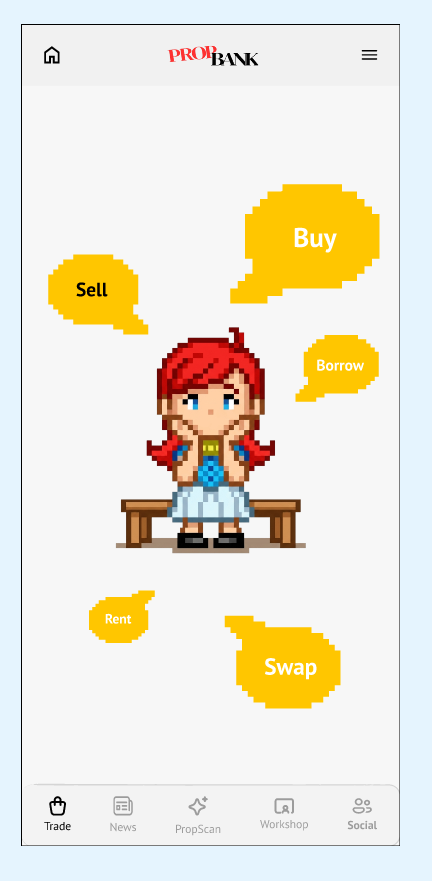
Start from marketplace homepage.
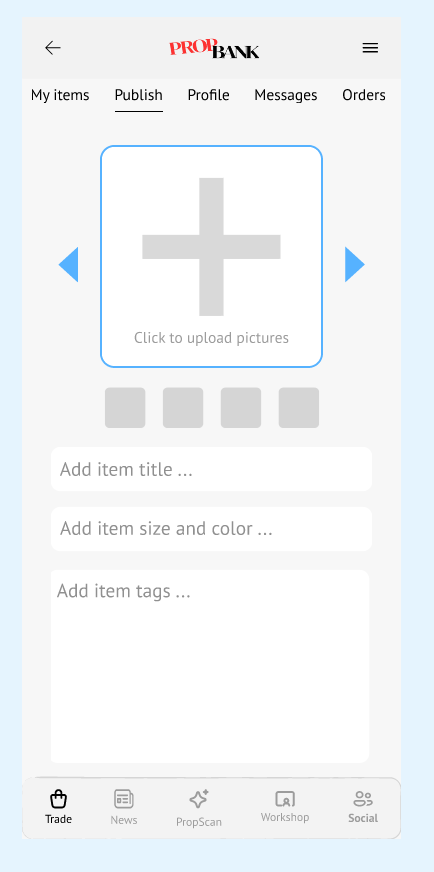
Open the publish listing flow.
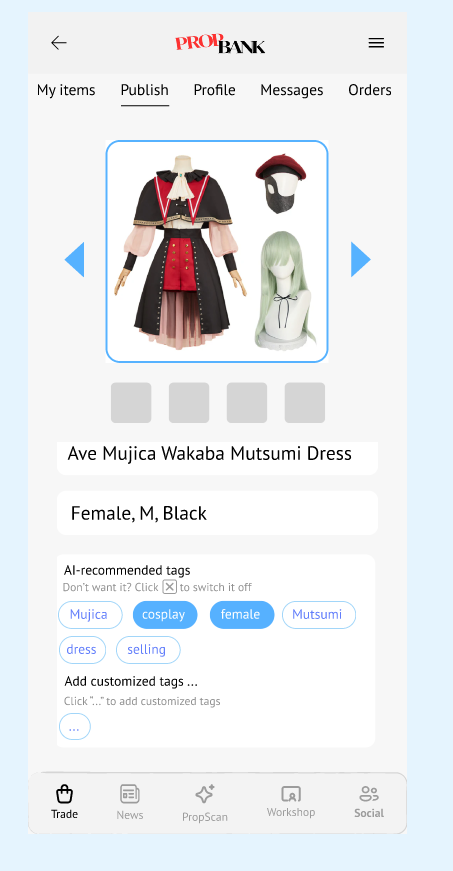
Fill title, size, color, and AI-suggested tags.
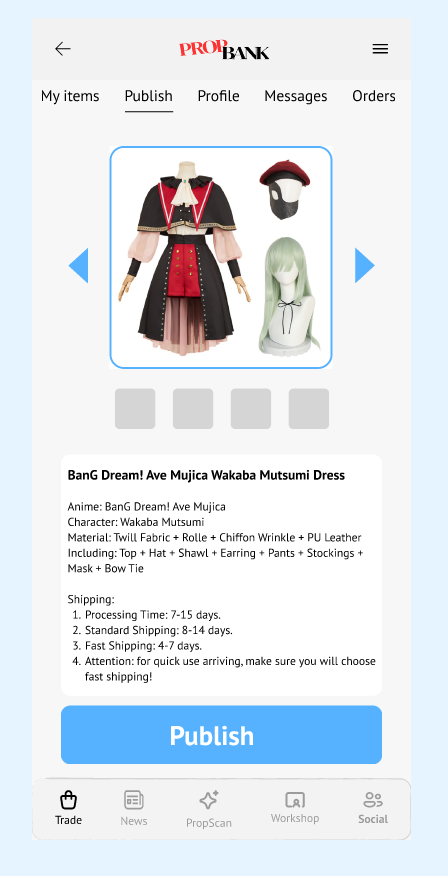
Complete details and submit listing.
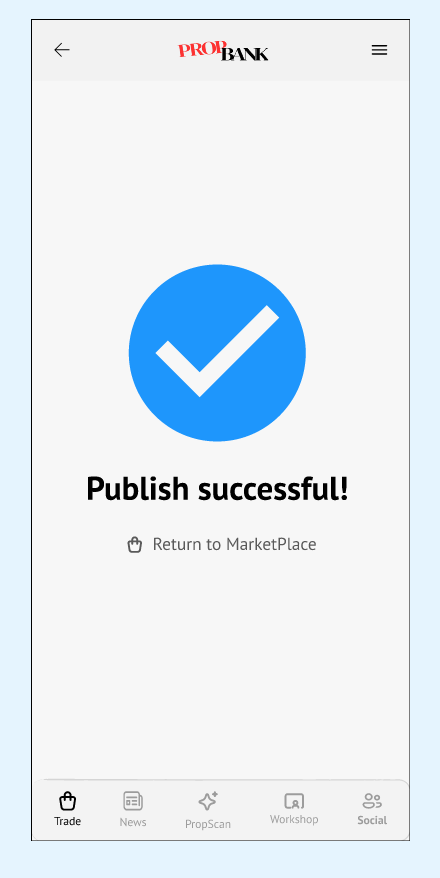
Listing is published successfully.
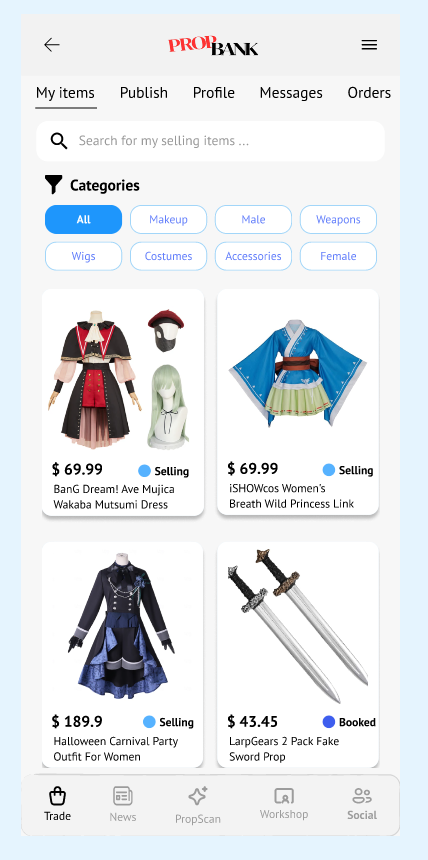
Check all active published listings.
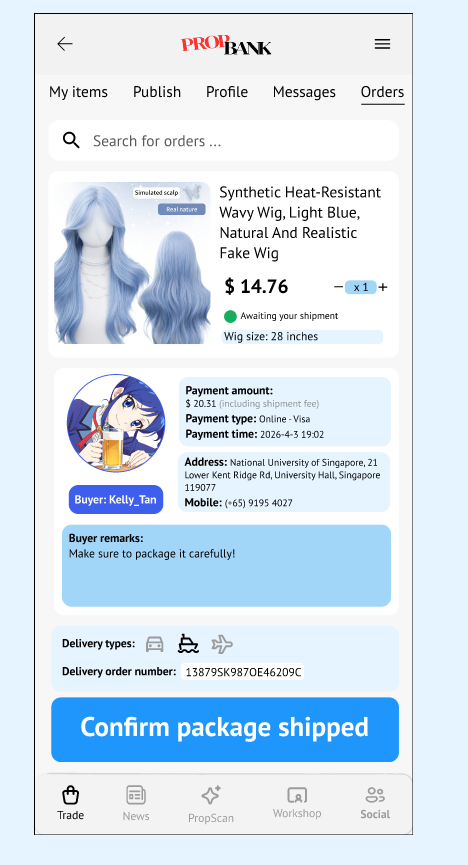
Arrange delivery for confirmed order.
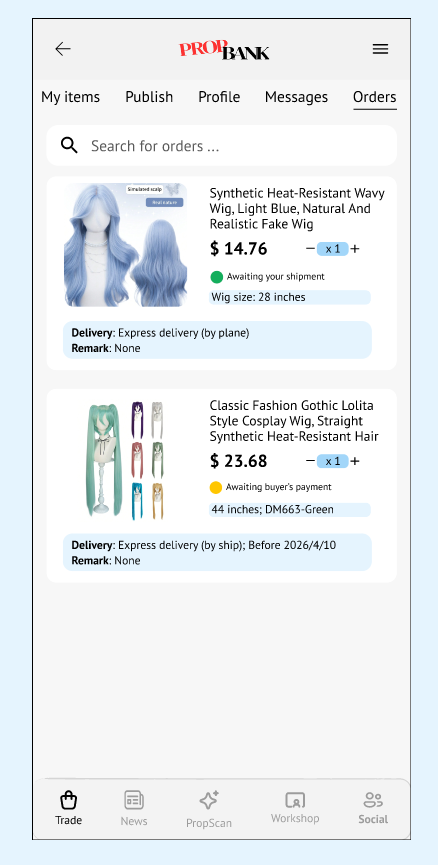
Track order records and statuses.
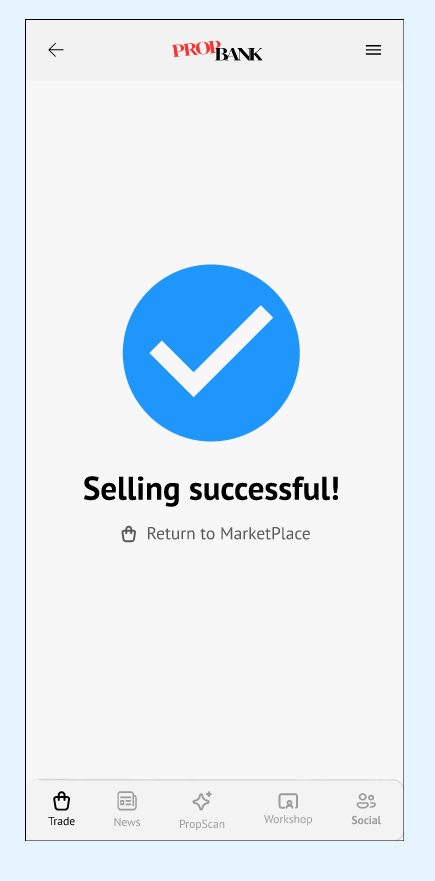
Transaction is completed successfully.
Rent
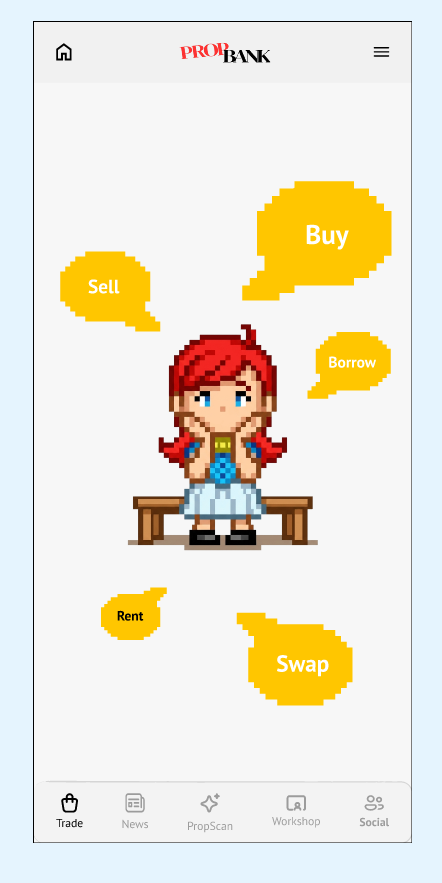
Start from marketplace homepage.
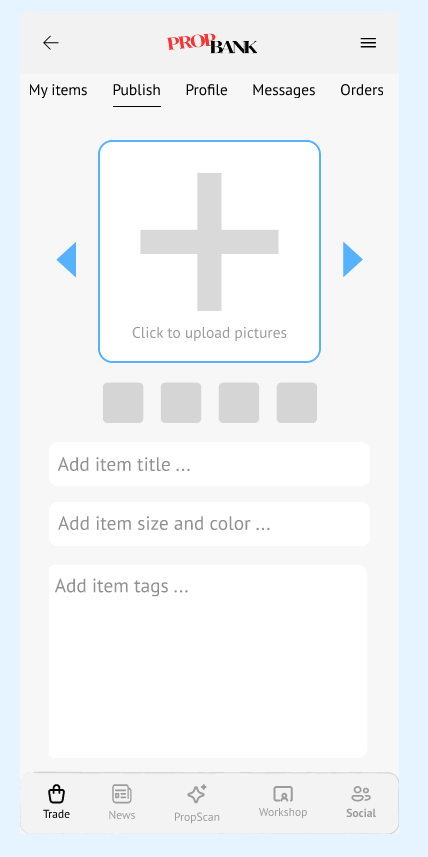
Upload a photo of the item to rent out.
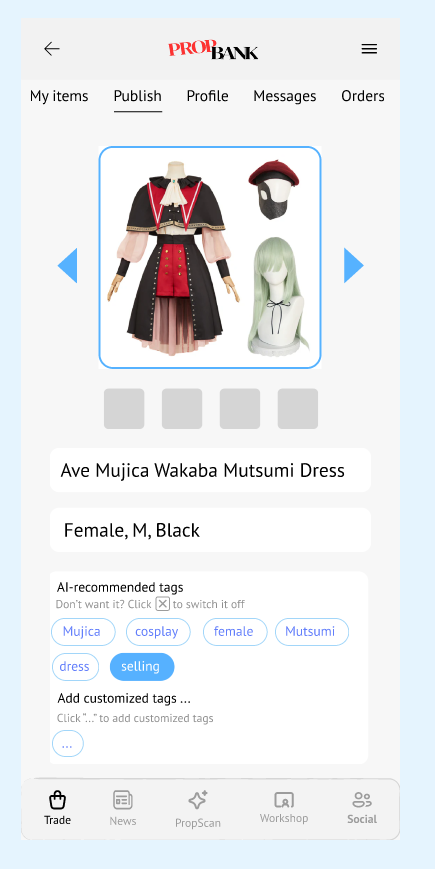
Fill in details and review AI-generated tags.
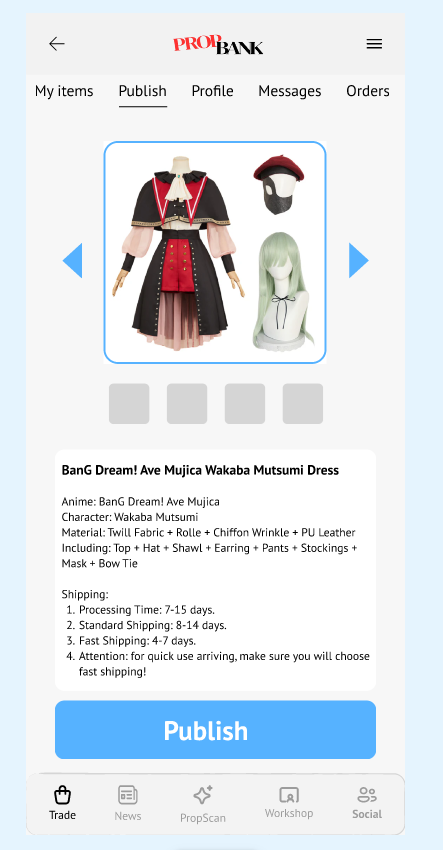
Review listing and publish to marketplace.
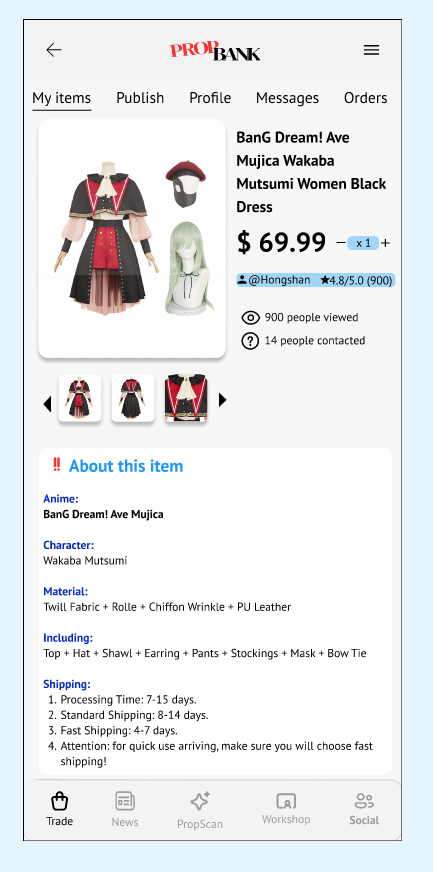
See view count and contact interest on your listing.
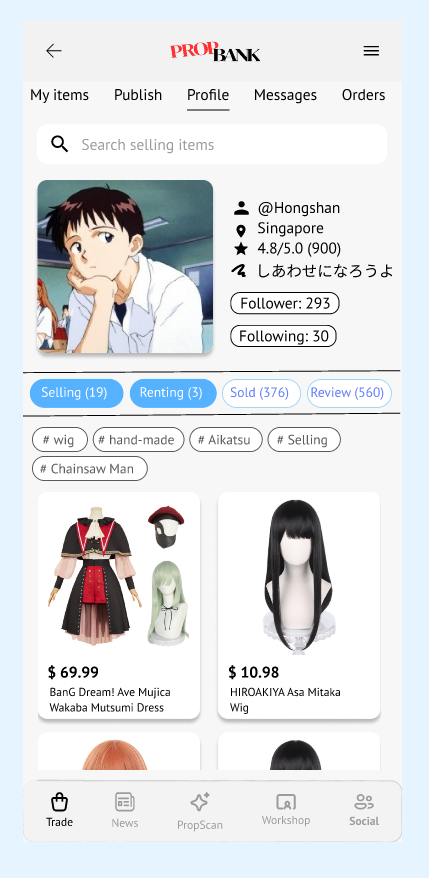
View your seller profile and active listings.
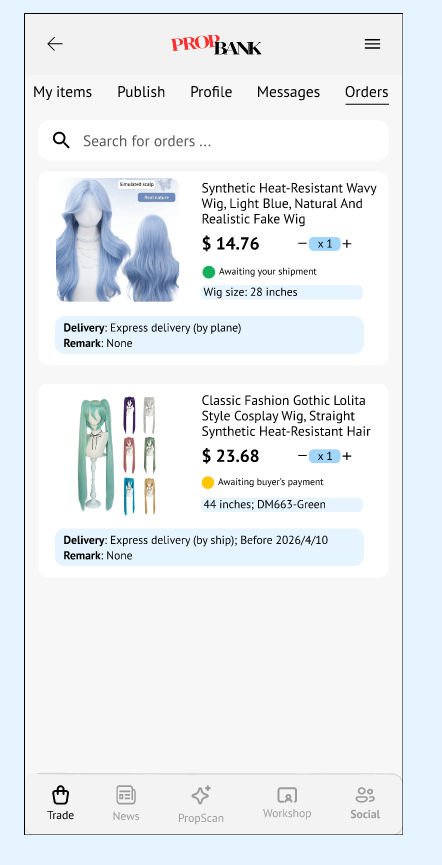
Review cart before confirming the rental order.
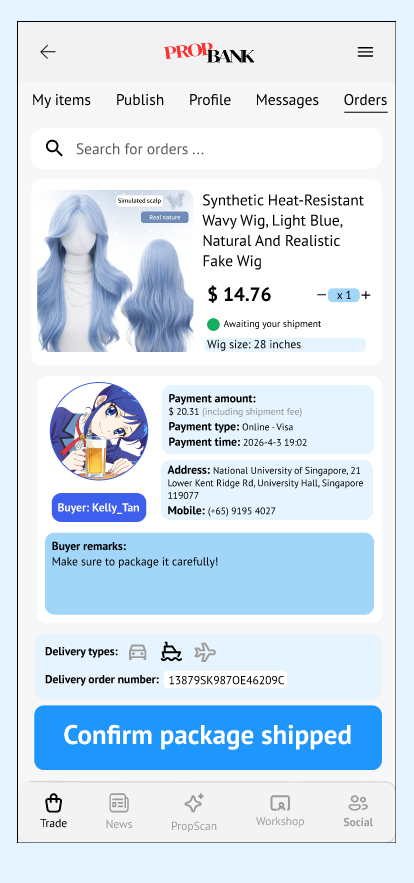
Confirm shipment details and dispatch item.
Swap
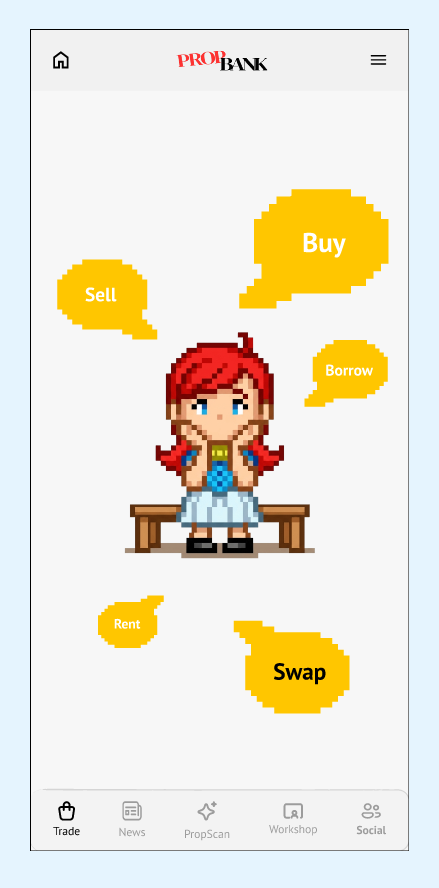
Start from marketplace homepage.
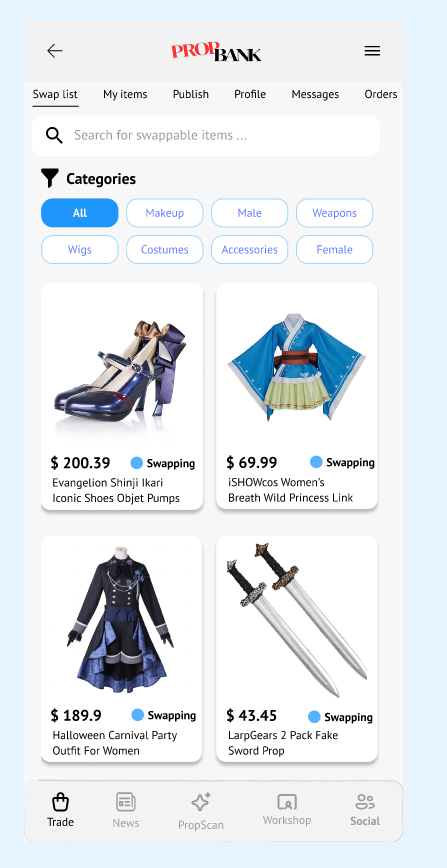
Browse all available swap listings.
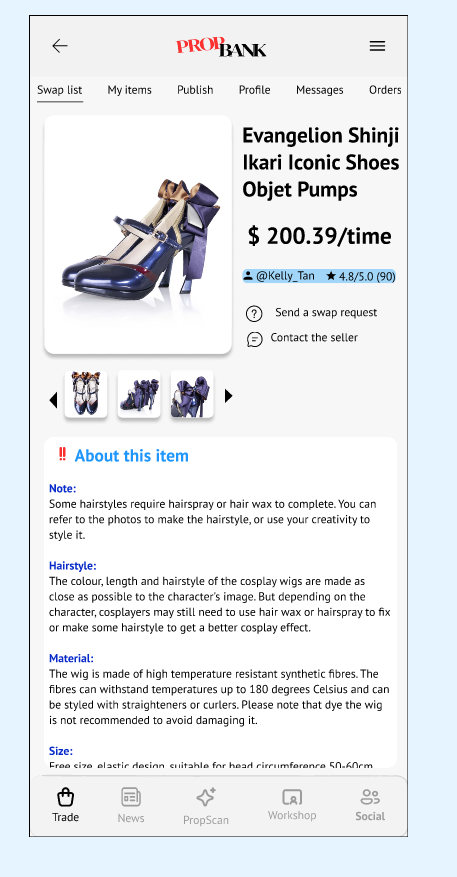
Review item details before requesting swap.
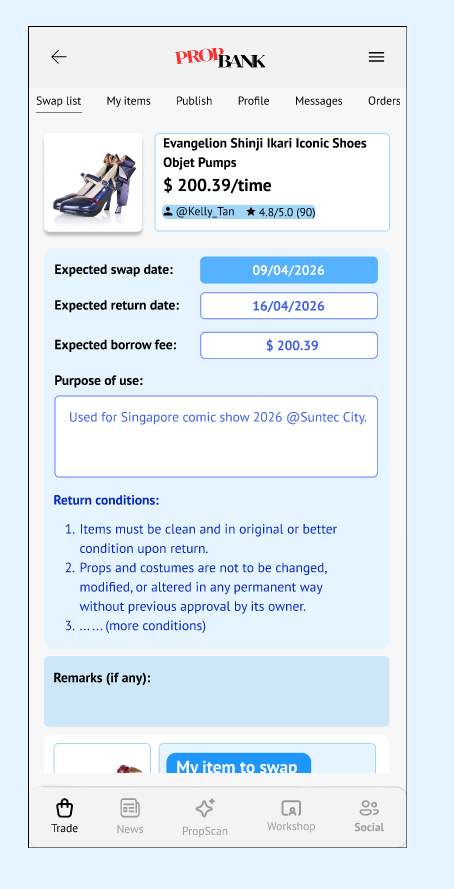
Fill in swap request details.
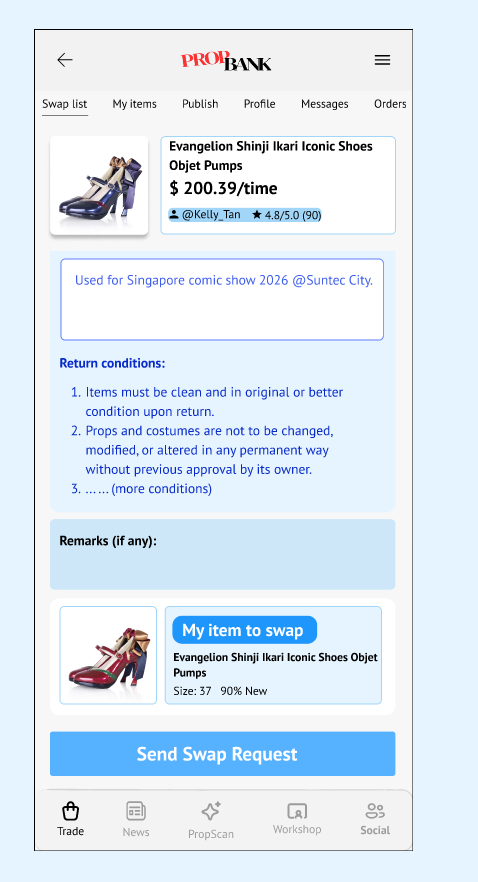
Select your swap item and submit request.
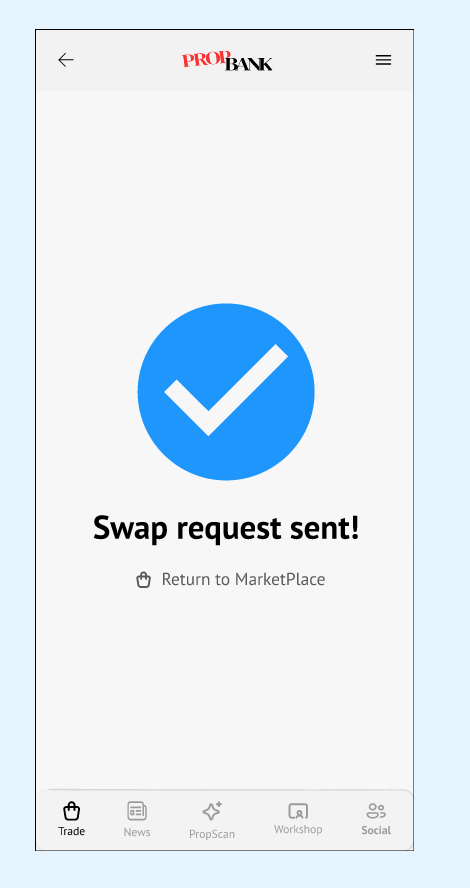
Request is sent successfully.
AI-ASSISTED TAG GENERATION
When a seller uploads a photo of their item, AI automatically generates relevant tags. Critically, the user stays in full control.
PROTOTYPE DEMO
Upload Photo
Seller uploads an image of their cosplay item when creating a listing.
AI Generates Tags
Computer vision identifies the item and suggests relevant tags (character, fandom, item type, materials).
User Decides
Clear UI label: "These tags are AI-generated." User can dismiss any tag (×) and add their own manually.
WHY THIS DESIGN?
Transparency
The UI explicitly labels tags as AI-generated. Users are never deceived about the source of suggestions — they can evaluate and override.
Human Override
Every AI tag has a visible × button. Sellers who disagree with the AI's categorization can remove tags individually and type their own.
Reduces Friction
Sellers often don't know how to categorize niche items. AI suggestions lower the barrier to publishing a good listing without forcing compliance.
Non-Intrusive
AI operates at one specific moment: item upload. It doesn't persistently recommend, rerank, or alter the experience in hidden ways.
AI IN DESIGN PROCESS (MY DOCUMENTED USAGE)
I used AI tools during design to draft alternative tag taxonomies and interaction copy variants for upload flow prompts. I accepted suggestions that improved clarity and consistency with user language.
I rejected suggestions that were too automation-heavy (e.g., auto-applying tags without confirmation). Final decision was human-controlled: users must explicitly review, remove, or override AI-generated tags before publishing.
CONNECTED SERVICES
Marketplace doesn't operate in isolation — it integrates with every service in the PropBank ecosystem to create a seamless, cross-service user experience.
01 · MARKETPLACE × WORKSHOP
COSPLAY PLAN — BUY VS. MAKE
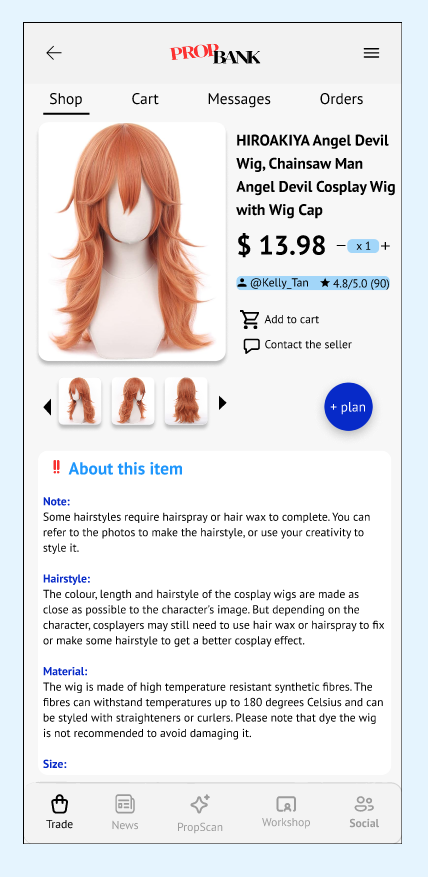
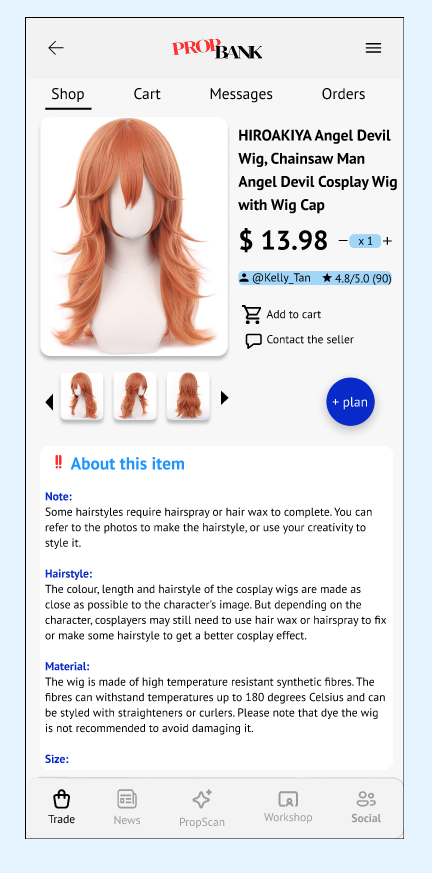
On any item's detail page in Marketplace, users see a + button that lets them add the item to a Cosplay Plan — a personal collection for planning a full cosplay look.
→ Integration point: Cosplay Plan bridges Marketplace listings and Workshop tutorials in a single decision view.
SCREENSHOTS
Add to a Plan
Pop-up Message
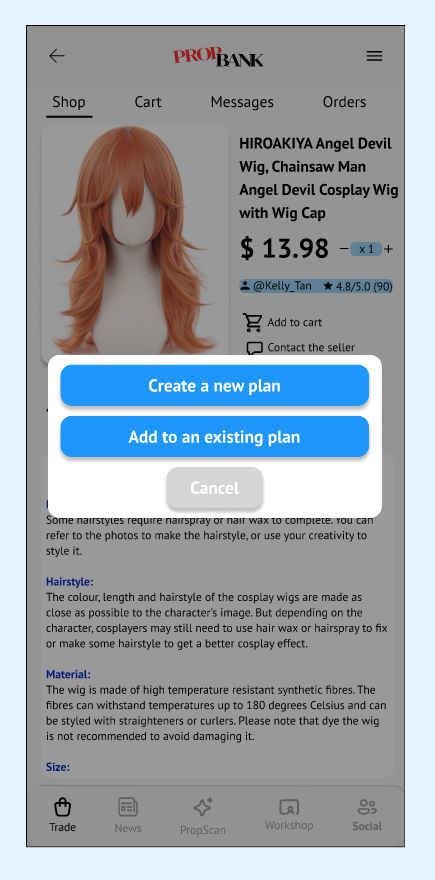
Choose an Existing Plan
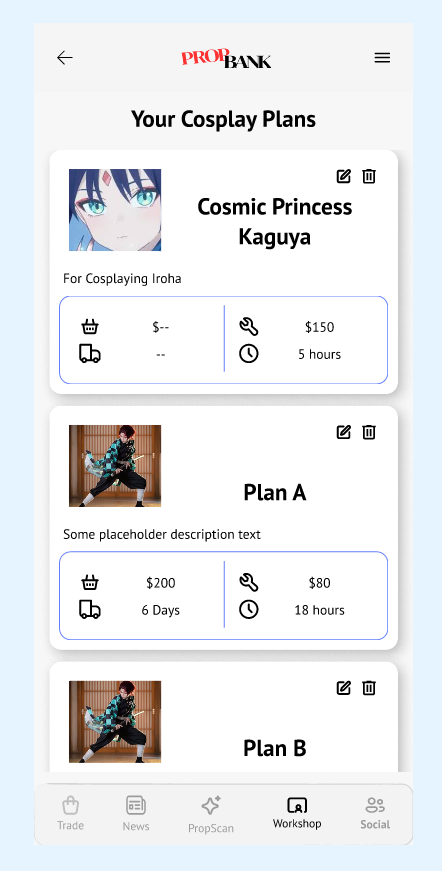
Add to an Existing Plan
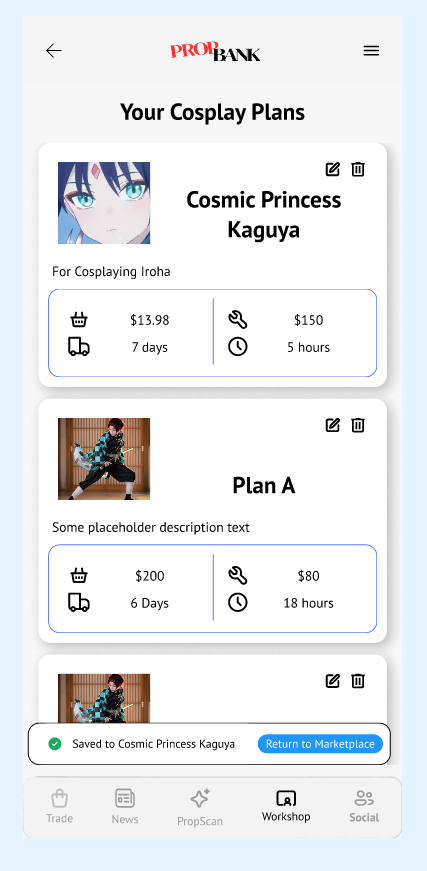
02 · MARKETPLACE × PROPSCAN
SCAN → FIND → BUY
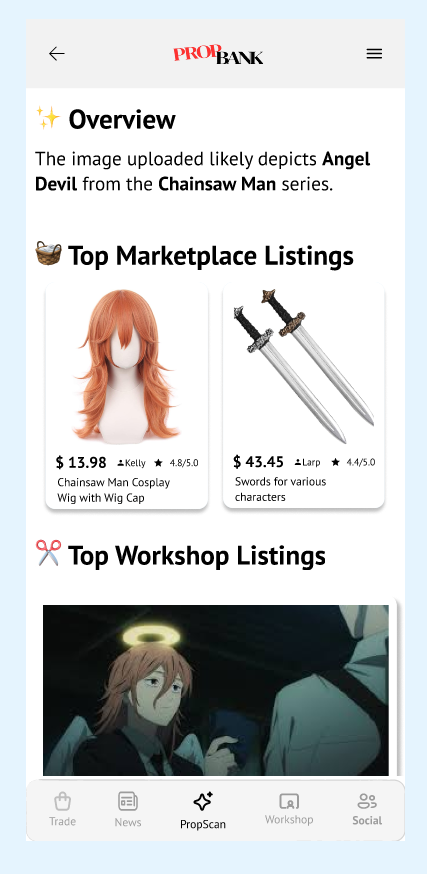
After a user uploads an image and PropScan's AI identifies the character and props, the results page automatically surfaces matching Marketplace listings — items currently for sale or rent that match the identified prop.
→ Integration point: PropScan turns visual discovery directly into a purchase opportunity without leaving the app.
SCREENSHOTS
Opening Page
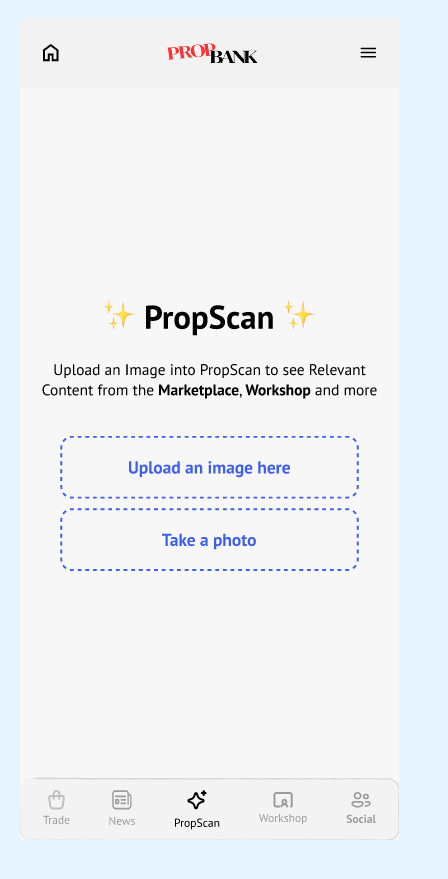
Upload an Image
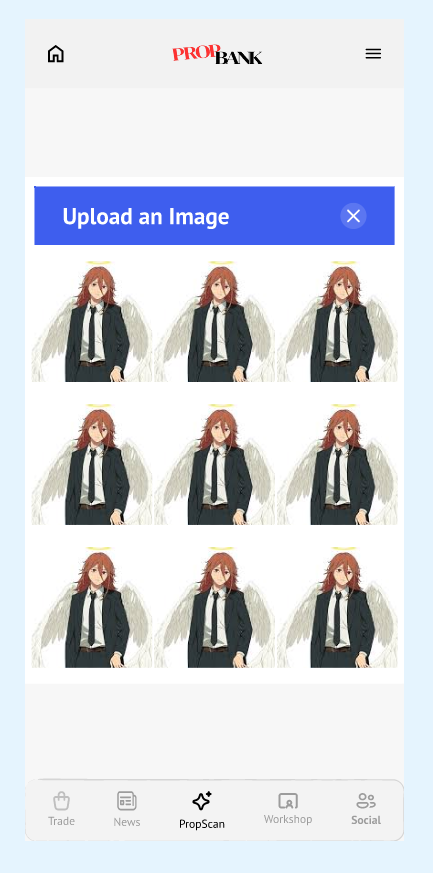
Confirm the Image
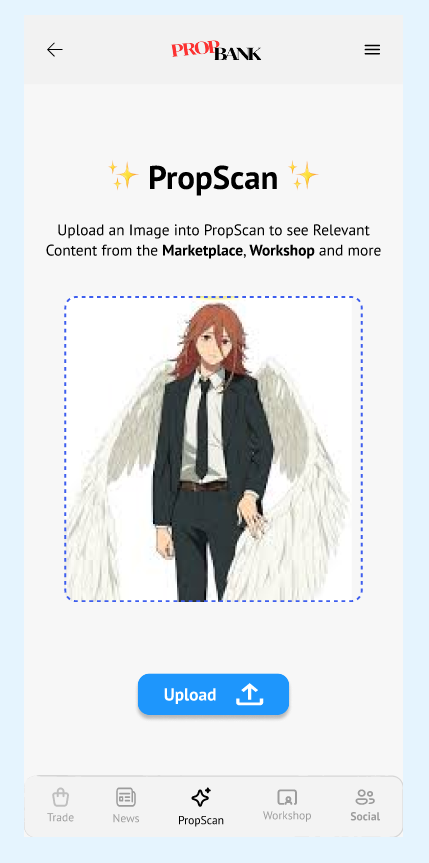
AI Analyses & Recommends Items
Tap Card → Marketplace Detail
03 · MARKETPLACE × CREATOR HUB
TAG ITEMS IN COMMUNITY POSTS
Within Creator Hub — PropBank's community space for posts, project showcases, and help requests — users can tag Marketplace listings directly inside their posts. This turns community content into a discovery channel for the Marketplace.
For Creators
Share the exact props used in a cosplay post — readers can tap the tag to view or purchase the item directly in Marketplace.
For Buyers
Discover items organically through community content rather than just browsing search results.
For Sellers
Community engagement drives organic visibility to Marketplace listings without paid promotion.
04 · CROSS-SERVICE NAVIGATION
4.1 BOTTOM NAVIGATION BAR
PERSISTENT SERVICE ACCESS
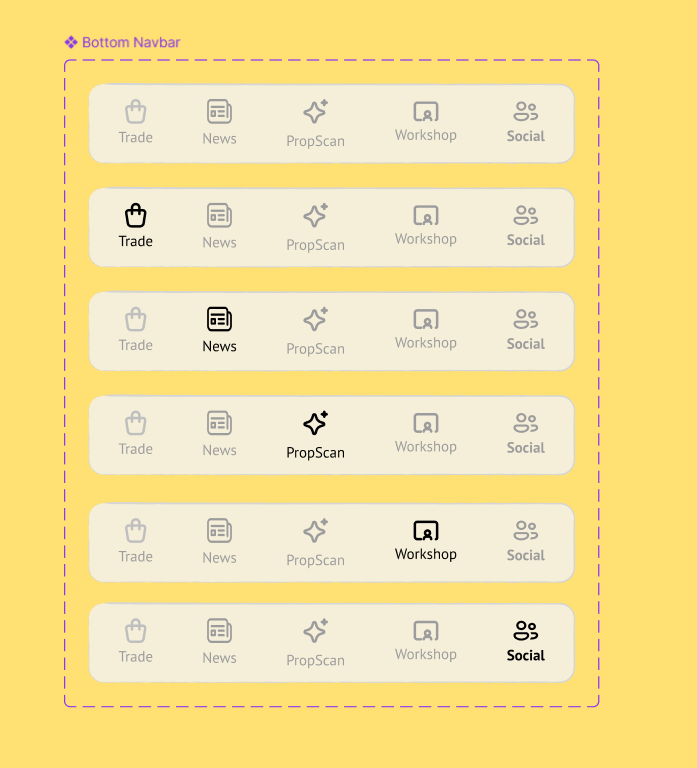
The bottom navigation bar provides persistent access to PropBank's five main services — CoNews, PropScan, Marketplace, Workshop, and Creator Hub. Users tap an icon to jump between services at any point in their workflow.
4.2 SIDE BAR — UTILITY SERVICES
CROSS-SERVICE UTILITIES
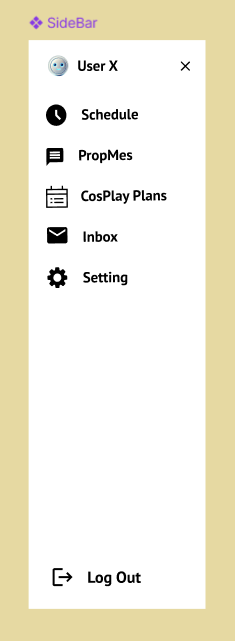
Separate from the bottom nav, the side bar houses utility services that span across all five main services: Schedule, PropMes, Cosplay Plans, Inbox, and Settings. These are accessible from anywhere in the app.
4.3 PROPMES — IN-APP CHAT
THE COORDINATION LAYER
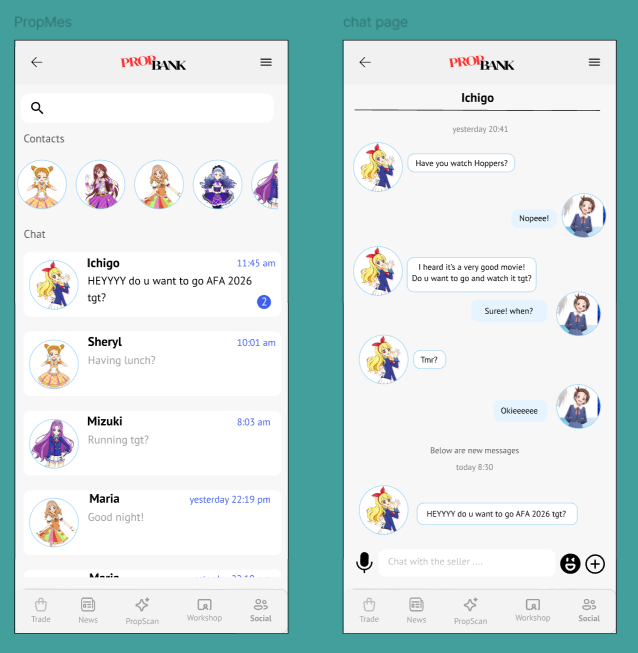
PropMes is PropBank's built-in chat system — and a service I designed end-to-end. Every transaction, collaboration, or coordination across the app routes through PropMes, keeping users inside the ecosystem rather than jumping to WhatsApp or Telegram.
05 · ENTRY & EXIT POINT SUMMARY
Marketplace is the commercial core of PropBank — but it never operates as a closed silo. Other services actively feed users into it, and it actively hands users off to services that continue their journey beyond the transaction.
Workshop
When browsing a tutorial or guide in Workshop, users encounter props and materials they may not want to make themselves. A direct link surfaces matching Marketplace listings — same prop, ready-made — so the user can switch from maker mode to buyer mode in one tap.
PropScan
After PropScan AI identifies a prop from an uploaded image, matching Marketplace listings (buy or rent) are surfaced automatically in the results page. Visual discovery becomes a purchase funnel with zero additional search effort.
Creator Hub
Community posts in Creator Hub can embed tagged Marketplace listings. Readers who discover an item through a post, showcase, or help thread are one tap away from its full Marketplace listing — turning organic content into a discovery channel.
→ All three entry points reduce friction by delivering users to the right listing at the right moment, without requiring them to open Marketplace separately.
Workshop — Add to Cosplay Plan
On any item detail page, users can tap + to add the listing to a Cosplay Plan. Inside the plan, each item surfaces a paired Workshop tutorial for the same prop — letting users pivot from buying to learning without leaving their plan. The decision to buy, make, or do both stays in one place.
PropMes — Direct Seller Chat
Whenever a user wants to ask a question, negotiate a price, or confirm a meetup, they are routed into PropMes — PropBank’s unified in-app chat. This keeps all transaction communication inside the ecosystem, avoiding the friction of external messaging apps and keeping conversation history tied to the listing context.
→ Exit points are designed to deepen engagement, not end it — every handoff continues the user's goal in the most appropriate service.
TESTING WITH REAL USERS
Maze-based task testing and short follow-up interviews were used to evaluate flow clarity, interaction responsiveness, and onboarding guidance in the Marketplace prototype.
01
Visual Clarity Is Good Overall
Participants described the interface as clean and easy to read at first glance.
02
Swap Task Guidance Needs Improvement
Maze flow feedback showed that swap task created more hesitation and navigation uncertainty.
03
Interaction Feedback Must Be Stronger
Users reported uncertainty when taps seemed unresponsive or when multiple hints flashed at once.
Testing scope note: insights are directional (Maze task testing + short interviews), used to guide iteration priorities rather than claim statistical significance.
KEY FINDINGS & ITERATIONS
Interview feedback (CJY): "The UI is clean and straightforward, but some pages feel text-heavy and lack clear color and font-size separation between sections."
Provide clearer section grouping with stronger typographic hierarchy and color separation between functional blocks.
Maze & interview feedback (CJY): the last two tasks were harder because multiple blue-highlight prompts appeared simultaneously, making the next action unclear.
Provide one primary next-action cue with clearer visual priority over secondary clickable elements.
Interview feedback (WJT): some buttons felt unresponsive and required repeated taps; on the product list page, users were unsure which items were actually clickable.
Provide stronger tap feedback (press/loading), clearer tappable boundaries, and explicit instructional cues for guided actions.
WHAT I LEARNED
Trade-offs
Balancing feature richness with interface simplicity was the core tension. The marketplace could have 20 filters — but users needed the 5 most relevant ones front-and-center, not buried in an overflow menu.
Ecosystem Integration
The marketplace doesn't stand alone. PropScan feeds into it (scan → find similar listing). Workshop links out to it (guide → buy materials). Designing these entry/exit flows required constant alignment with teammates.
AI Limitations
AI tag generation works well for common cosplay items but may misidentify niche or handmade props. The override mechanism wasn't just a nice-to-have — it was essential to maintain listing accuracy.
Conflict Resolved
A repeated team-level conflict was scope vs clarity: how much listing detail should appear immediately versus progressively. We resolved this by keeping trust-critical information (reviews, condition, location) visible upfront while moving secondary details into structured sections to reduce cognitive load.
Process Reflection
Starting from user interviews rather than assumptions changed the design significantly. The seller location field and trust badge system would not have existed without the interview data.

CHEN HONGSHAN
A0311136W · CS3240 · TUT[06]
From one ideation slide to a full super-app ecosystem — this project taught me that good UX design begins with listening, not sketching.
VIEW FULL PROTOTYPE ↗